
Quick Summary
When portfolio owners talk about cutting building energy use, the conversation usually starts and ends with HVAC and lighting. That leaves a large, often-ignored category on the table: plug and process loads (PPLs). These are the windows AC units, vending machines, task lights, water coolers, kitchen equipment, chargers, and countless other devices that plug into a standard outlet and were never designed to talk to a building automation system. The U.S. Department of Energy estimates that PPLs account for roughly 30% of commercial building energy consumption and cost U.S. commercial buildings about $56 billion a year, and most of that energy is wasted running equipment that nobody is using.
This article focuses specifically on retrofitting plug load control into existing, unconnected appliances — the equipment already installed at your properties that has no smart features and was never built with connectivity in mind. Unlike a full HVAC controls upgrade, retrofitting plug load control is inexpensive per device, fast to install, and does not require touching a building’s mechanical systems. At a single property, that is a nice-to-have. Across a multi-property portfolio, it becomes one of the highest-leverage retrofits available, because the same low-cost hardware and the same control logic can be deployed at every site with minimal customization.
You will learn what plug and process loads actually are and why they are so commonly ignored, how advanced power strips and networked plug controllers let you retrofit control onto legacy equipment, what documented savings look like at both single buildings and federal portfolios, how emerging market and regulatory structures are starting to value aggregated plug loads as a grid resource, and how to roll out a retrofit program across many properties without disrupting tenants. Every figure below is drawn from the U.S. Department of Energy (DOE), national laboratories, or federal regulators, and the sources are listed at the end.
The Load Everyone Forgets
Ask a facilities team what drives their electric bill, and HVAC comes up first, then lighting. That instinct is not wrong as heating, cooling, ventilation, and lighting are large categories, but it misses a category that is comparable in size and far less managed. The DOE’s Better Buildings program puts plug and process loads at approximately 30% of commercial building energy consumption, on par with, or larger than, any single HVAC or lighting end use, and estimates the associated cost at roughly $56 billion annually across U.S. commercial buildings.
Why does this category get overlooked? Mostly because of where the equipment sits and who controls it. HVAC and lighting are typically centrally managed by a building automation system that a facilities team configures once and adjusts occasionally. Plug loads are the opposite: they are individually owned or operated by tenants and employees, they arrive and leave the building on their own schedule, and they are rarely wired into anything smarter than the wall outlet they are plugged into. A rooftop unit has a thermostat. A vending machine, a coffee maker, a shrink-wrap machine, or a bank of monitors typically has none of that, they draw power around the clock unless a person physically switches it off, and most people don’t.
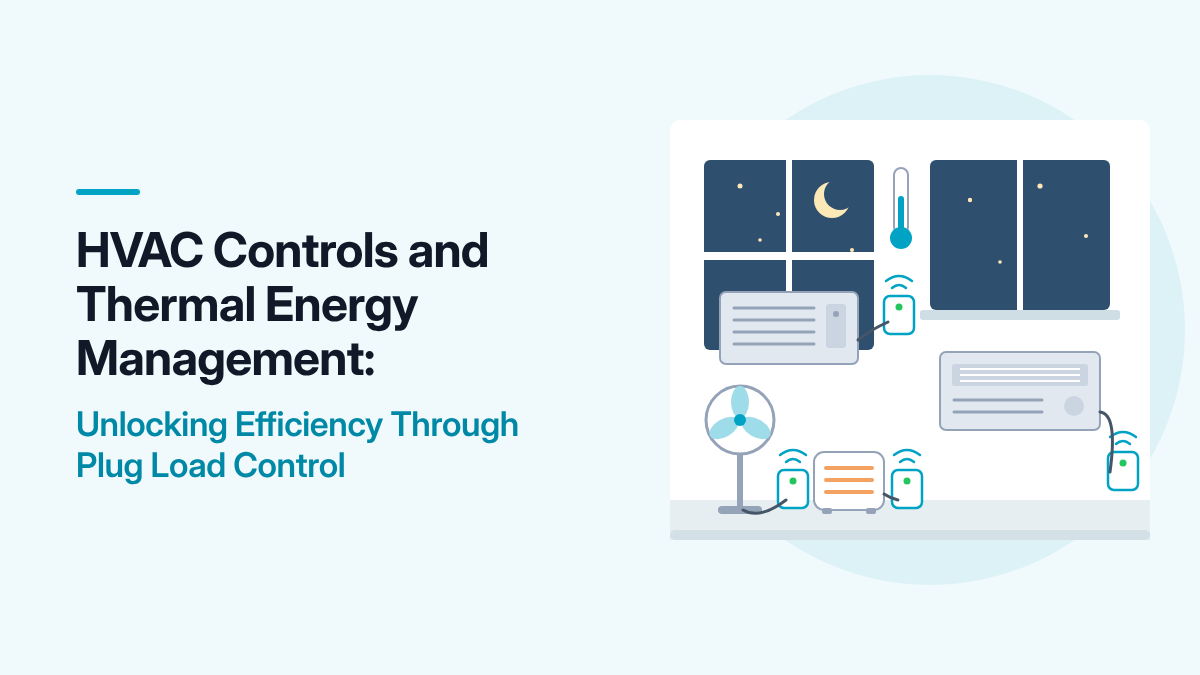
The other reason plug loads are so ignorable is that commercial buildings, on average, are only occupied about one-third of the time, according to research cited by DOE. That means roughly two-thirds of the hours in a week (nights, weekends, holidays) most plug-connected equipment could be off or in a low-power state, and instead it typically just runs. That gap between occupied hours and total hours is exactly where a retrofit control program targets its savings, because it does not require anyone to change how they use a device while they are using it. It only requires the device to be shut off, or brought to a low-power state, during the hours nobody is around. Window AC units in commercial office, goverment, and education buildings are a great example. While centralized HVAC system may adjust temperature during unoccupied hours, window AC units continue to operate at a single temperature setpoint that is set locally and not turned off when the space is unoccupied.
What “Unconnected” Really Means
For the purposes of a retrofit program, “unconnected appliances” covers the vast majority of what is plugged into outlets in a typical commercial building: desktop computers and monitors, printers and copiers, task lighting, windows AC units, space heaters and personal fans, coffee makers and microwaves, vending and snack machines, water coolers, mini-refrigerators, chargers, and specialty equipment specific to the building type such as kitchen equipment in food service, diagnostic and monitoring equipment in medical offices, point-of-sale terminals in retail, gym equipment in fitness centers, and audiovisual gear in classrooms and conference rooms.
None of this equipment ships with grid awareness, occupancy sensing, or remote control. That is precisely why it is called “unconnected” since it predates, or simply falls outside, the building automation and IoT ecosystem that governs HVAC and lighting. Retrofitting control does not mean replacing this equipment. It means inserting an intelligent layer between the wall outlet and the device: something that plugs in between the two, sits invisibly in the circuit, and adds the scheduling, sensing, or remote-control capability the device itself lacks.
The Retrofit Toolkit: Advanced Power Strips and Networked Plug-Level Controllers
The core retrofit technology is what DOE and its research partners call an advanced power strip (APS): a device that looks and functions like a conventional power strip but has built-in technology to reduce runtime and cut power to connected equipment when it is not needed.
There are several distinct control strategies built into different APS products, and the right one depends on the application:
- Timers automatically turn outlets off on a pre-set schedule whichis most useful for equipment with predictable, regular hours, like window AC units, vending machines, break-room appliances, or classroom AV gear.
- Master-control turns off a group of peripheral outlets automatically when a primary device (such as a computer) is powered down, eliminating the monitors, speakers, and task lights that would otherwise keep drawing power after the main device is off.
- Masterless cuts power to all controlled outlets once every device in the group has been turned off, eliminating standby “vampire” loads across the whole group.
- Remote switches can turn off outlets by the user via a remote switch, giving occupants direct, low-effort control.
- Activity monitors watch for signs of use such as network activity and current draw patterns and turn off outlets automatically when no activity is detected.
At the property level, these are usually deployed at individual desks, in break rooms and kitchens, at printer and copier stations, in computer labs, at cashier and checkout areas, and around building common areas and entertainment or amenity spaces. At the portfolio level, the same five control types map cleanly onto archetypes: a set of retail properties might standardize on activity-monitor strips at checkout areas, while a set of office properties standardizes on master-controlled strips at desks, and timer-based devices in occupany-dependent areas such as kitchens for standa-alone heaters and AC units.
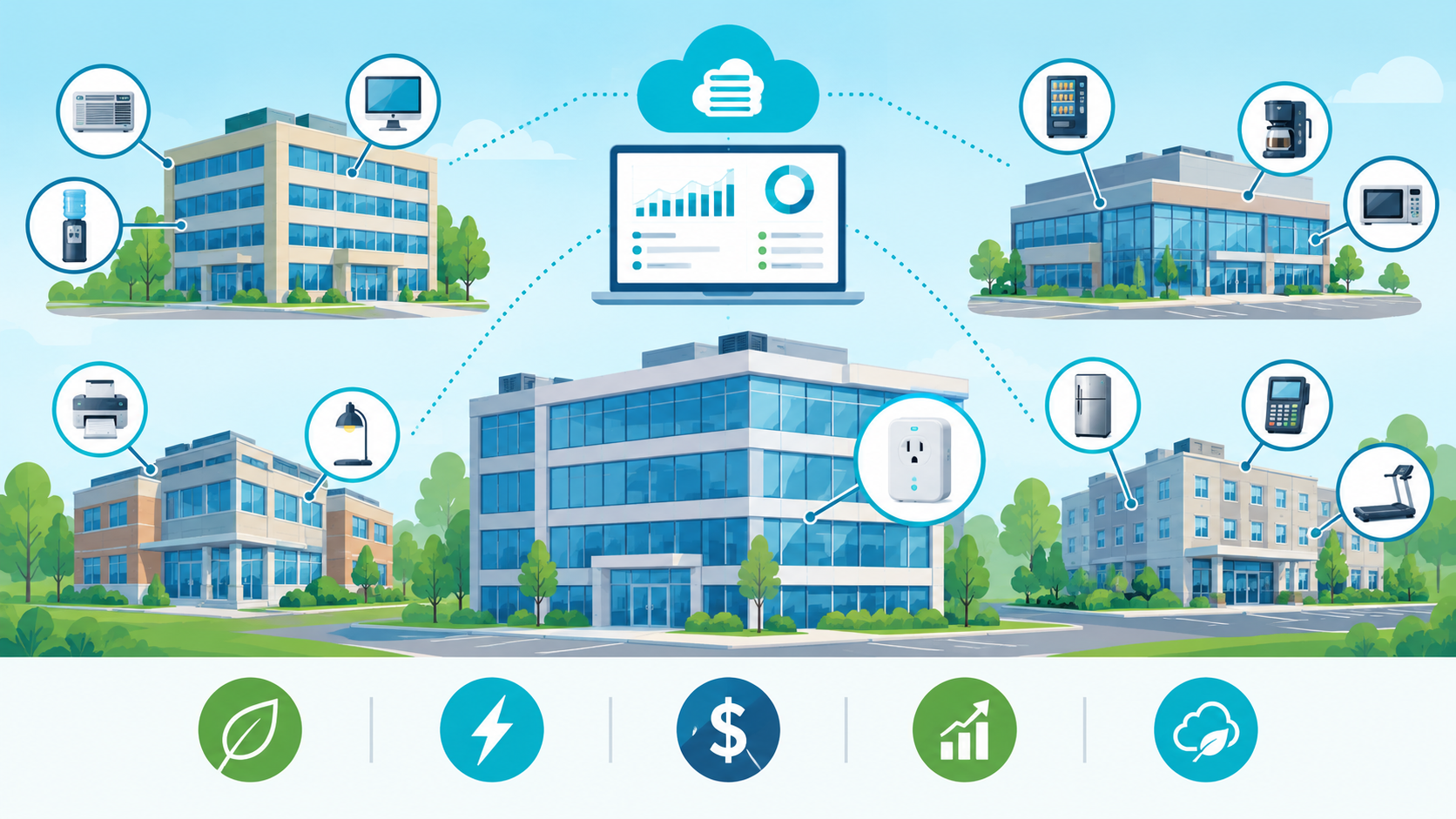
Networked, remotely managed plug controllers extend this same idea with a communications layer, so a facilities team can see plug-level energy use, schedule and override control remotely, and pull consumption data back into a portfolio dashboard, all without rewiring the building or replacing the equipment plugged in. This is the layer that turns a collection of individually installed plug load controllers into a portfolio-wide plug load management program.
What the Evidence Shows
Several documented case studies, two of which are cited by DOE’s Better Buildings program, illustrate what retrofit plug load control actually delivers in practice.
The Tower Companies, a commercial real-estate firm in the Washington, D.C. metro area, installed motion-sensor advanced power strips at workstations and common-area equipment in one of its multi-tenant office buildings. The company monitored plug load energy use before and after installation and found an average 9% reduction in plug load energy per weekday with a 6% reduction during working hours and a 29% reduction during non-working hours. The project achieved a 6.5-year payback using utility incentives.
The U.S. General Services Administration (GSA) ran a larger, more controlled test through its Green Proving Ground program, deploying advanced power strips across federal office space. GSA found that schedule-based (timers) control performed best, delivering 26% energy savings on top of existing advanced computer power management at individual workstations, and 50% energy savings in kitchen and printer-room areas. That project achieved a 2-year payback period.
NIST Global Cities Team Challenge resulted in a project where BOSS Controls installed networked smart plugs on unconnected equipment across a portfolio of municipal, university, and commercial high-rise buildings, including vending machines, water coolers and fountains, and coffee pots. After collecting a 14-day baseline, devices were scheduled to shut off during unoccupied hours (weekdays before 6 a.m., after 6 p.m., and weekends) and monitored for another 14 days. Across the portfolio, the retrofit delivered an average 52.5% reduction in energy consumption for the controlled devices, with simple payback under one year across all equipment categories and as short as four months for the highest-consuming devices, such as soda vending machines. Savings scale with how much a device runs while nobody needs it and holds consistently across a portfolio of different building types and operators rather than a single site.
These data points frame the realistic range for a retrofit program: modest, dependable single-digit-percentage savings in daytime, occupied hours, alongside much larger (up to 60%) savings in areas and hours where equipment has historically just been left running. The GSA result in particular shows why targeting kitchens, standa-alone heaters and AC, printer rooms, and after-hours periods first tends to produce the fastest payback.
From Single Devices to a Portfolio-Wide Program
A single advanced power strip or smart plug is a facilities purchase. A portfolio-wide plug load control program is closer to a standard, and the difference matters for how it should be planned and run.
Inventory before you buy. Walk each property, or a representative sample, and catalog what is plugged in by category: office equipment, kitchen and break-room equipment, stand-alone heating and cooling, vending and refrigeration, and other specialty equipment specific to the property type. This inventory is what lets you group properties into control archetypes instead of treating every site as a custom job.
Prioritize by load and hours, not just count. Not every plugged-in device is worth controlling. A device with high wattage and long unoccupied runtime is worth prioritizing over a low-wattage device that is already mostly off. Equipment that runs continuously in unoccupied hours such as window AC units, vending machines, water coolers, refrigeration, printers, and kitchen equipment, delivers savings even without any change in behavior, because the device is simply shut off or set back during hours nobody needs it. Equipment used briefly during occupied hours but left on afterward such as desktop computers, monitors, and task lighting,benefits most from master-controlled or activity-monitoring control that respond automatically once a primary device is powered down.
Match the control type to the archetype. As the taxonomy above shows, timer control fits predictable schedules; master and masterless control fit groups of devices; activity monitoring fits equipment with irregular but detectable use. Standardizing which control type is used for which category of space across every property in an archetype means facilities staff and tenants encounter the same experience everywhere, and a fix or lesson learned at one site transfers directly to the rest.
Name a plug load champion, per property or per portfolio. DOE’s guidance on plu load control specifically recommends designating someone responsible for managing PPLs and educating tenants and occupants on how to use the devices. In a single building, that might be a facilities coordinator. Across a portfolio, it is worth having both a site-level champion, who handles day-to-day questions and troubleshooting, and a portfolio-level owner who tracks the program’s savings and consistency across properties.
Build in remote visibility. This is where the real benefit arises. Centralize the data where the retrofit uses networked plug controllers rather than standalone timers or power strips. A portfolio dashboard that shows plug load consumption by property, archetype, and device category is what lets a facilities team spot the outliers and investigate before it becomes a pattern.
Tenant Buy-In and the Human Side of Plug Load Retrofits
Unlike HVAC controls, which mostly operate invisibly in the background, plug load control directly touches equipment people interact with by hand every day. That makes tenant and occupant communication more important here than almost anywhere else in a portfolio energy program.
DOE’s guidance is direct on this point: getting occupant buy-in through messaging, training, and simple communication is a key first step, and it recommends pairing automated controls with informational campaigns such as signage, emails, and periodic reminders rather than relying on the hardware alone. A few practical principles follow from that:
1. Label everything. A power strip or smart plug with unlabeled outlets invites someone to plug a device into the wrong slot, defeating the control strategy. Clear labeling of control, switched, and always-on outlets (for equipment like phones or safety devices that should never lose power) keeps the system working as designed.
2. Protect always-on equipment explicitly. Life-safety devices, network equipment, and anything that must never lose power belongs on a clearly marked always-on outlet, not subject to the same control logic as a desk lamp or monitor.
3. Make the override easy. Remote-switch and easily accessible manual overrides reduce the odds that an inconvenienced occupant simply unplugs the device from the control strip altogether, which silently kills the savings.
4. Consider incentives, not just instructions. Some federal deployments have tied a portion of returned utility savings back to the occupying agency or department when plug load energy targets are met. This is a model any portfolio owner with multi-tenant leases could adapt.
5. Refresh the message periodically. DOE’s guidance notes that continual reminders, not a one-time announcement, are what keep a plug load program effective over the long term.
Retrofit Control and Safety
A retrofit program is also a chance to modernize aging equipment for reasons beyond energy. DOE’s specification for plug load controllers outlines safety features to look for, including relevant UL safety listings and compliance guidance tied to the National Electric Code and International Fire Code. Conventional power strips are commonly recommended for replacement roughly every ten years for safety reasons regardless of energy considerations, which makes a portfolio-wide retrofit a natural moment to standardize on newer, safer hardware across every property at once rather than replacing strips piecemeal as they individually wear out.
Plug Loads as a Grid Resource
Plug load retrofits are usually justified purely on the electric bill, but the policy and market landscape around small, aggregated loads is shifting in a way that portfolio owners should know about.
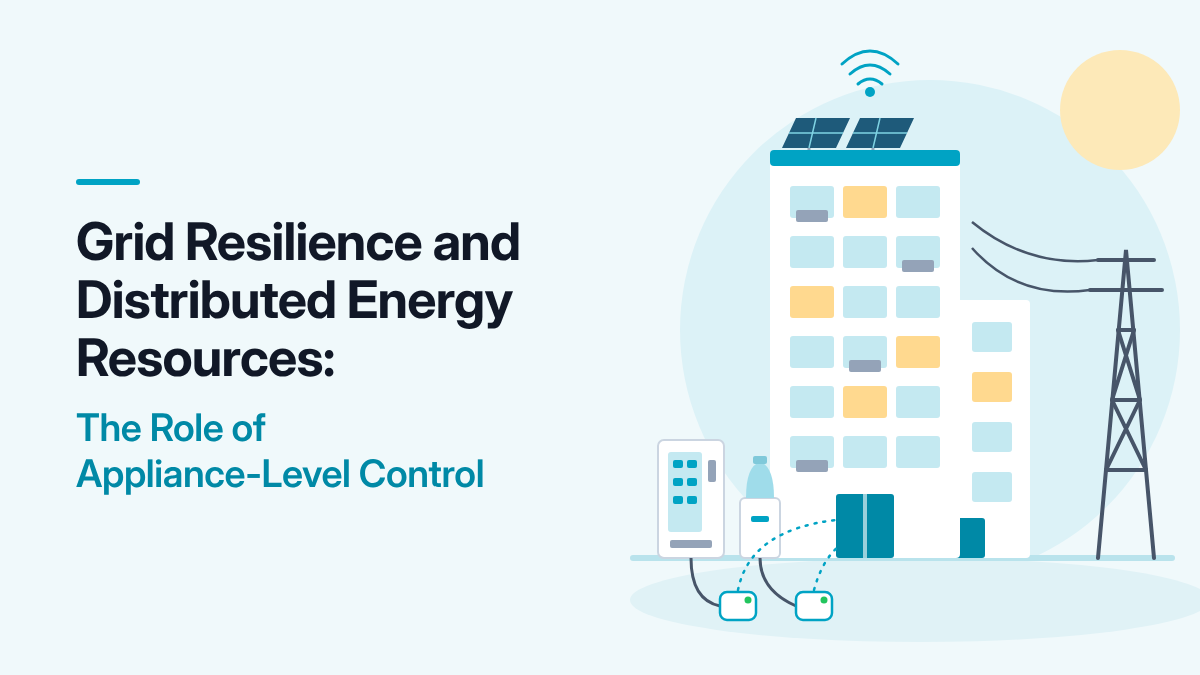
In 2020, the Federal Energy Regulatory Commission (FERC) issued Order No. 2222, which requires regional grid operators to let distributed energy resources — a category that includes demand response and controllable loads — participate in wholesale electricity markets through aggregation. Individually, a plug-controlled vending machine or window AC unit is far too small to meet a wholesale market’s minimum size requirements, which can be as low as 100 kilowatts. But an aggregator can pool many small, controllable loads across many sites into a single bundle that does meet that threshold, becoming the market participant on behalf of the individual device or property owners, with revenue flowing back down through the aggregator.
The Department of Energy’s 2025 update to its Pathways to Commercial Liftoff analysis of virtual power plants (VPPs) frames this opportunity at scale. The report explicitly includes traditional demand response, and by extension the kind of load curtailment a plug load control program enables, within its definition of a VPP. It projects that total distributed energy resource capacity in the U.S. will grow from about 205 gigawatts in 2023 to roughly 422 gigawatts by 2028, and sets a national goal of 80 to 160 gigawatts of VPP capacity, or 10% to 20% of peak load, by 2030. The same analysis finds that VPP peaking capacity can be more than 40% cheaper than a conventional gas peaker plant on a cost-per-kilowatt-year basis, which is part of why utilities are increasingly building demand-side programs rather than only new generation.
None of this changes the retrofit playbook described above. A portfolio does not need to enroll in a wholesale market or sign an aggregation agreement to benefit from plug load control as the the energy bill savings alone typically justify the investment. But a portfolio that has already standardized its plug load control across many properties, with centralized visibility into consumption and the ability to curtail load remotely, is far better positioned to participate if and when an aggregator or utility program becomes available locally. The retrofit work and the future optionality are the same infrastructure and this is exactly what the BOSS Controls SmartEdge platform provides.
A Phased Rollout for a Multi-Property Plug Load Program
Phase 1: Inventory and prioritize (first 30 to 60 days).** Walk a representative sample of properties and catalog plug-connected equipment by category and estimated hours of unoccupied runtime. Identify the highest-value, lowest-risk categories to start with — kitchens, stand-alone heating and cooling, printer and copy rooms, vending areas, and after-hours common spaces typically lead, based on the GSA and Tower Companies results.
Phase 2: Pilot at a small set of properties (60 to 120 days).** Select two or three properties representing your major archetypes and install the appropriate mix of timer, master-controlled, masterless, remote-switch, and activity-monitor devices. Measure before-and-after plug load consumption where sub-metering allows, and gather occupant feedback.
Phase 3: Standardize and scale (ongoing).** Turn the pilot’s results into a control standard by archetype — which control type goes in which space type — and roll it out property by property. Name plug load champions at the site and portfolio level, and build occupant communication materials once, for reuse everywhere.
Phase 4: Centralize visibility.** Where networked plug controllers are used, bring consumption data into a single portfolio dashboard so underperforming sites are visible quickly, and so the portfolio has the operational data it would need to pursue aggregation or demand response participation later.
Phase 5: Refresh and sustain.** Periodically re-communicate the program to occupants, replace aging power strips on a safety-driven cycle, and re-walk properties as equipment turns over, since new plug-connected equipment arrives constantly and needs to be brought into the program too.
Common Pitfalls
Treating it as a one-time hardware purchase. The GSA and Tower Companies results depended on selecting the right control type for the application, not simply distributing power strips. A mismatched control type undersells the opportunity.
Skipping occupant communication. DOE’s guidance is explicit that buy-in and ongoing reminders matter as much as the hardware. A program installed without explanation invites occupants to bypass it.
Ignoring always-on requirements. Life-safety equipment, network gear, and similar devices must be explicitly excluded from control logic, not left to chance.
Starting with desks instead of non-working hours. The evidence points to non-working hours and shared equipment areas as the highest-return starting point, not individual workstations, where savings are comparatively modest.
No portfolio-level visibility. Without centralized data, a portfolio cannot tell which properties are underperforming the standard, or build the case for future demand response participation.
Key Takeaways
- Plug and process loads are a bigger opportunity than most portfolios realize. DOE estimates they account for roughly 30% of commercial building energy use and about $56 billion in annual U.S. commercial building energy costs.
- The opportunity is concentrated in unoccupied hours. Commercial buildings are occupied only about one-third of the time on average, and most plug-connected equipment runs regardless.
- Retrofit, don’t replace. Advanced power strips and networked plug controllers add scheduling, sensing, and remote control to existing, unconnected equipment without touching the equipment itself.
- Match control type to load. Timer, master-controlled, masterless, remote-switch, and activity-monitor devices each fit different equipment and spaces; picking the right one is what separates modest savings from the 26%–50% GSA achieved.
- The evidence is real and documented. GSA achieved 26% savings at workstations and 50% in kitchens/printer rooms with a 2-year payback; Tower Companies achieved 9% average daily plug load savings with a 6.5-year payback.
- Standardize across the portfolio, not just within one building. A control standard by property archetype, a named plug load champion, and centralized data are what let one building’s success transfer to the rest of the fleet.
- Communicate with occupants continuously. Labeling, protecting always-on equipment, easy overrides, and repeated reminders keep a program from being quietly defeated by unplugged strips.
- Plug loads are increasingly a grid resource, not just a bill line item. FERC Order No. 2222 opened wholesale markets to aggregated distributed energy resources, and DOE’s 2025 Virtual Power Plants Liftoff analysis projects large growth in that market — infrastructure a portfolio that has already standardized plug load control is well positioned to use.
Sources
1. U.S. Department of Energy, Better Buildings Initiative. “Myth Busting: Market Barriers to Advanced Power Strips.” https://betterbuildingssolutioncenter.energy.gov/sites/default/files/attachments/Advanced%20Power%20Strips%20-%20Myth%20Busting%20-%205-6-16.pdf
2. U.S. Department of Energy, Better Buildings & Better Plants Initiative. “Myth Busting: Market Barriers to Advanced Power Strips (APS).” https://betterbuildingssolutioncenter.energy.gov/myth-busting-market-barriers-advanced-power-strips
3. U.S. General Services Administration, Green Proving Ground. “Advanced Power Strips for Plug Load Control.” https://www.gsa.gov/system/files/GPG003-Advanced%20Power%20Strips-Findings-508R.pdf
4. Federal Energy Regulatory Commission. “FERC Order No. 2222 Explainer: Facilitating Participation in Electricity Markets by Distributed Energy Resources.” https://www.ferc.gov/ferc-order-no-2222-explainer-facilitating-participation-electricity-markets-distributed-energy
5. U.S. Department of Energy. “Pathways to Commercial Liftoff: Virtual Power Plants, 2025 Update.” https://liftoff.energy.gov/wp-content/uploads/2025/01/LIFTOFF_DOE_VirtualPowerPlants2025Update.pdf
6. National Renewable Energy Laboratory. “Assessing and Reducing Plug and Process Loads in Office Buildings.” https://www.osti.gov/biblio/1076622